
Appearance
How to Vote on Space Token DAO?
Welcome to the Space Token DAO! We're excited to have you participate in our decentralized governance process. This guide walks you through the steps to vote on proposals. Whether you're new to Snapshot or just need a refresher, follow these simple steps to make your voice heard.
Step 1: Connect your wallet
- Go to dao.spacetoken.tech.
- Click the Connect Wallet button in the top right corner. You can use popular Web3 wallets such as Rabby, MetaMask, Trust Wallet, or any other compatible wallet.
WARNING
Make sure to connect the wallet that holds your SPACE. Your voting power comes from that balance.

Click the Connect Wallet button.
- Follow the prompts to authorize the connection between Snapshot and your wallet.
Step 2: Review the proposals
On the Space Token DAO page you will see a list of active proposals. Click any proposal to open it.
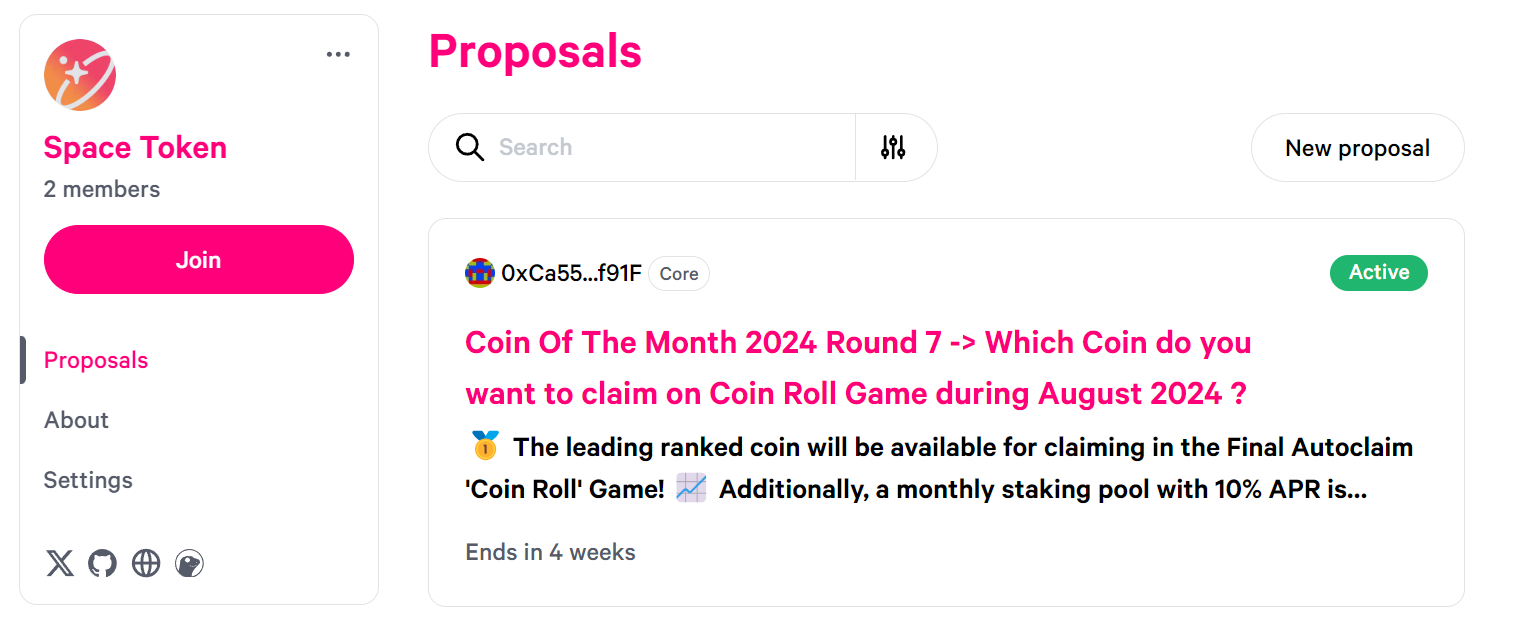
Click any proposal to view its details.
Read the proposal's description, objectives, and any additional information provided. Make sure you understand what the proposal entails before casting your vote.
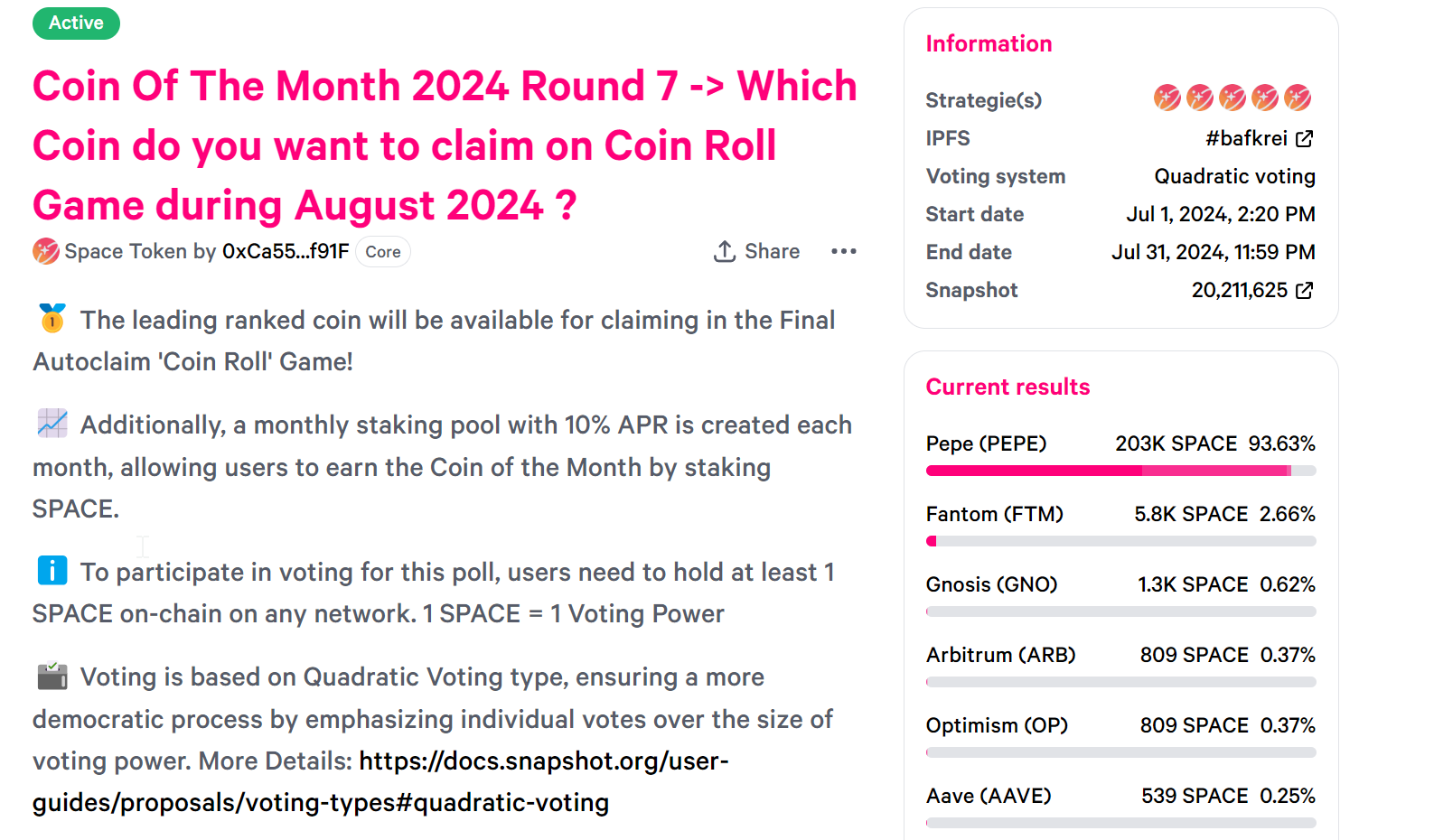
Read the proposal in full before you vote.
Step 3: Cast your vote
- Click the proposal you want to vote on. You are taken to its detailed page. The example below uses the Coin of the Month 2024 Round 7 proposal.
- Select the option that matches your preference. You can spread your voting power across several options when the proposal uses Weighted Voting.
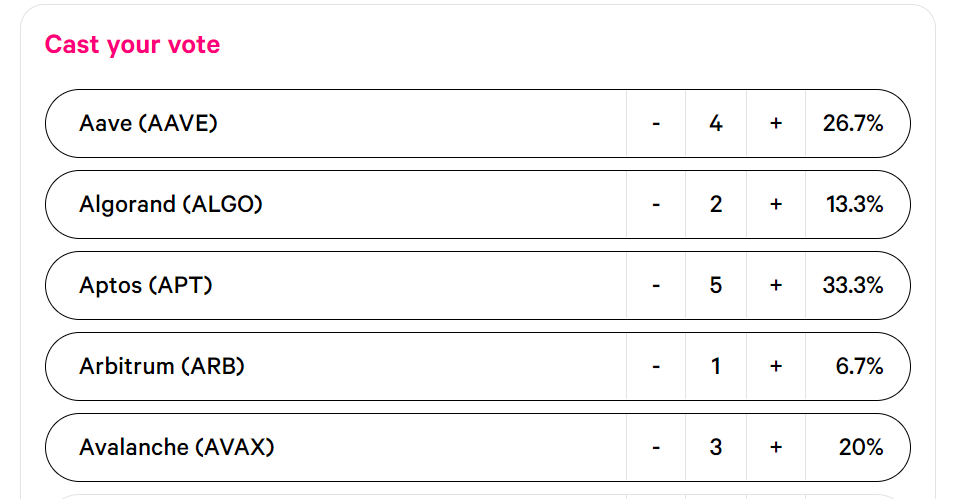
Example of Weighted Voting on the “Coin of the Month 2024 Round 7” proposal.
- Scroll down until you find the Vote button, then click it.

Click the Vote button.
You then see an overview of your choices and your Voting Power. In the example below the wallet holds 5000 SPACE, so the voting power is 5000. Click Confirm to confirm your choice.
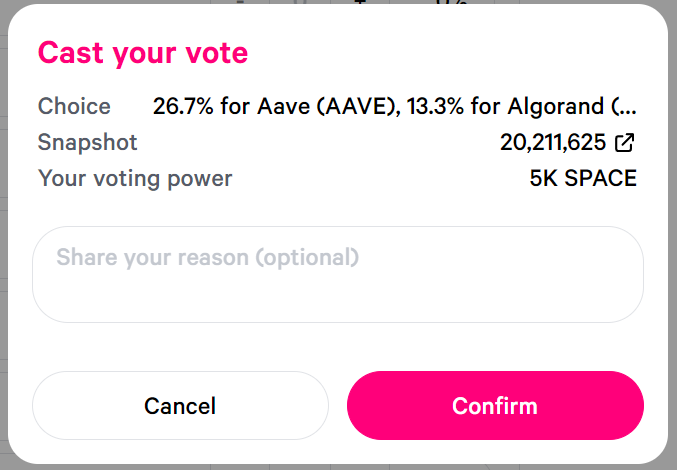
Click the Confirm button to confirm your choice.
- Your wallet prompts you to sign a message to confirm your vote.
INFO
This signature does not cost any gas fee. After signing, your vote is recorded on Snapshot.
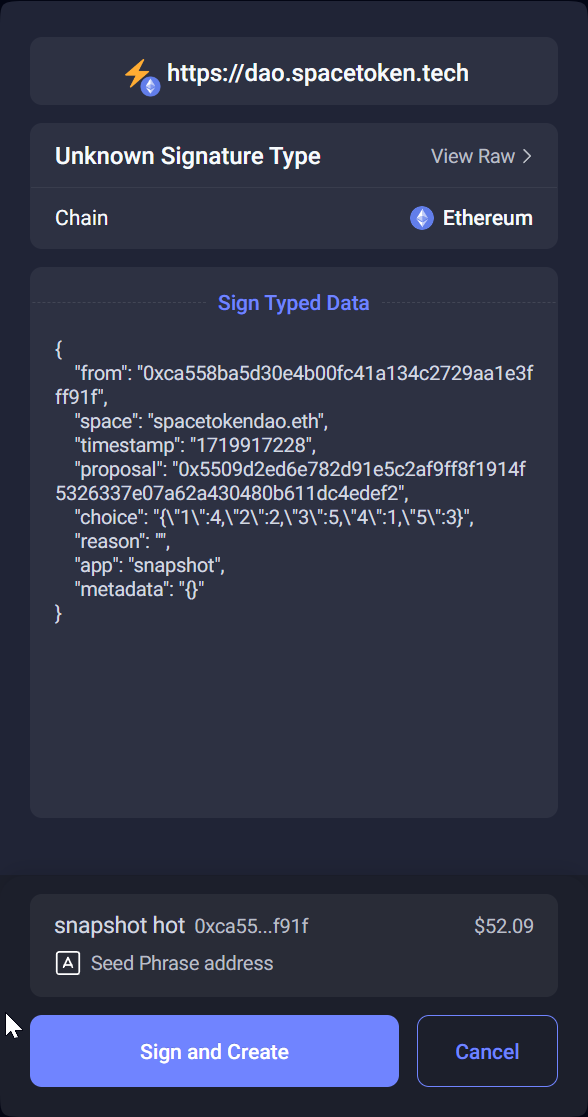
If you use Rabby, click Sign and Create to cast your vote.
Step 4: Verify your vote
After submitting your vote you get a Hooray notification confirming that your vote was processed.
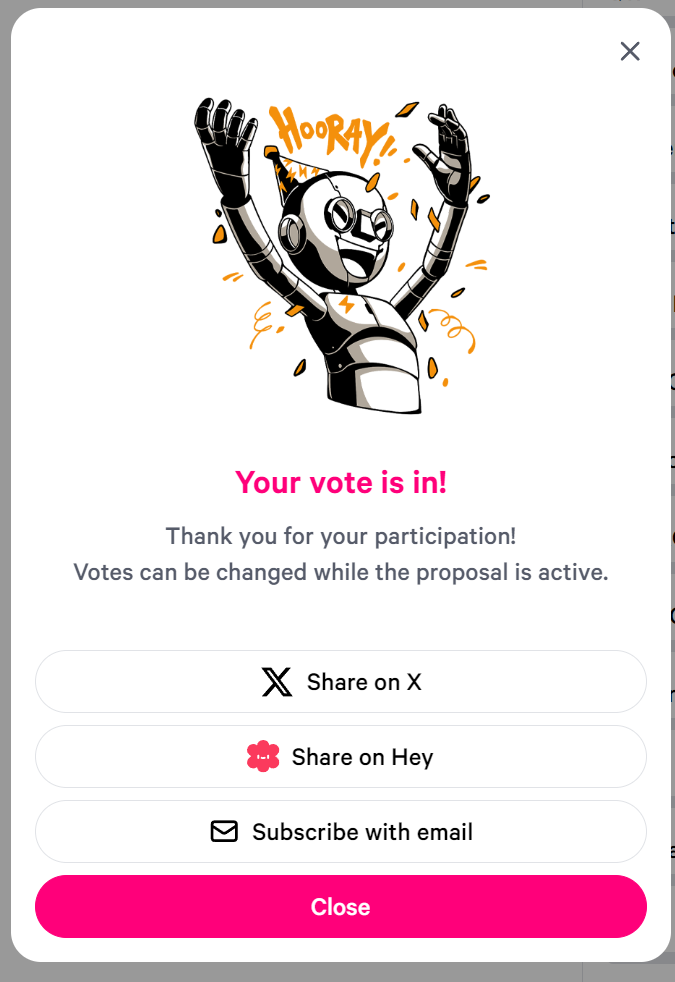
Your vote has been processed.
Your choices are then displayed on the proposal page.
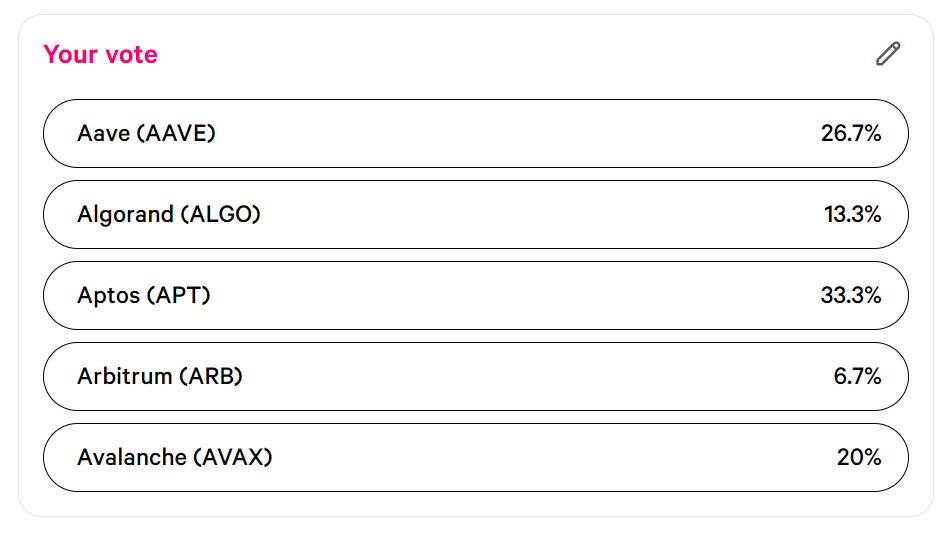
Your recorded choices on the proposal page.
Additional tips
- Stay informed: regularly check the Space Token DAO space on Snapshot for new proposals and updates.
- Participate actively: engage with the community on our social media channels and discussions. Airdrops and giveaways can be pushed depending on user activity on the DAO.
- Learn and share: if you're new to the process, consider joining our tutorials and community calls. Help others by sharing your knowledge and experience.
Conclusion
Voting on Space Token DAO is a straightforward process that lets you have a say in the future of the Space Token ecosystem. Your participation is crucial in keeping our community-driven governance effective and inclusive.
Happy voting!