
Appearance
Migrate PancakeSwap liquidity from V2 to V3
It is important to migrate liquidity from PancakeSwap V2 pools to V3 as soon as possible, because PancakeSwap V2 pools will likely be deprecated in the coming months. This means that liquidity on V2 pools will no longer be supported on the interface, which will make interacting with the liquidity contract harder, as it may require some additional skills to migrate your liquidity. By migrating liquidity to V3 pools, liquidity providers can ensure that their liquidity will continue to be utilized and that they will be able to earn trading fees in the future.
In addition, PancakeSwap V3 pools offer several benefits over V2 pools. These include the ability to create custom liquidity pools with custom fee structures, and improved capital efficiency. By creating and contributing to liquidity pools on V3, users can take advantage of these benefits and ensure that their liquidity is being used in the most efficient and effective way possible.
INFO
Migrating is done in two halves: you remove your V2 position on PancakeSwap, then you add the liquidity again to the V3 pool. Your SPACE and BNB sit in your wallet in between.
1. Connect your wallet
Go to the liquidity removing page and connect the BNB Smart Chain wallet that holds your SPACE-BNB position.

Click the Connect button to link your BNB Smart Chain wallet.
2. Remove your V2 position
A. Set the amount to remove
Once your wallet is connected, set the % amount that you want to remove. Click the Max button to remove 100% of your V2 position.
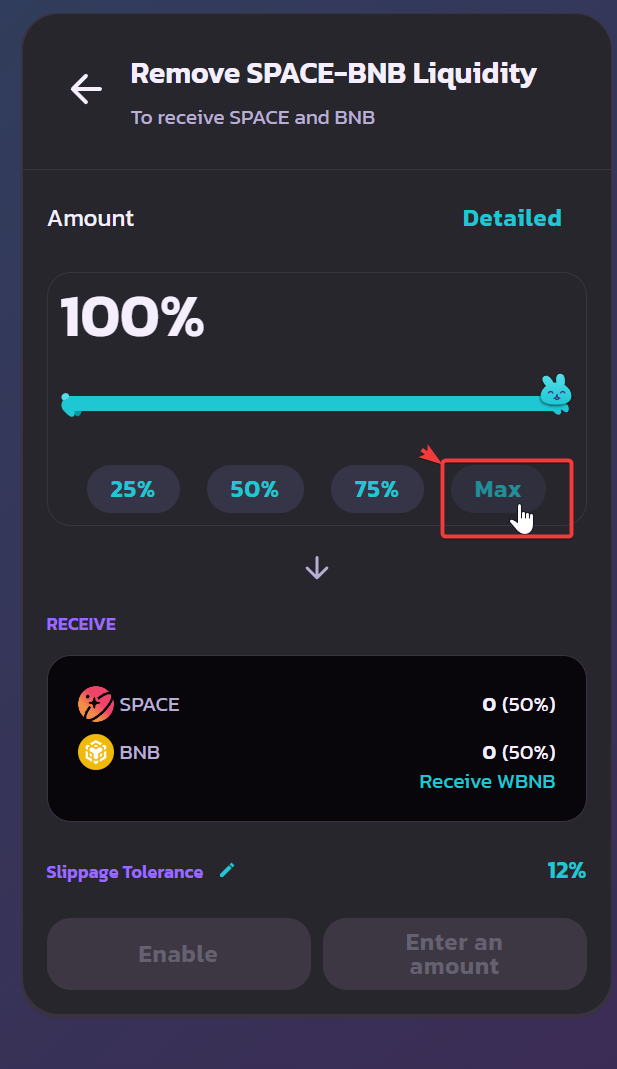
Click the Max button to remove 100% of your V2 position.
B. Allow the contract
Click the Enable button to allow the liquidity contract to interact with your wallet. Enabling requires you to sign a transaction on your Web3 wallet; don't worry, it is safe.

Click Enable, then sign the transaction in your wallet.
C. Complete the removal request
Click Remove, then Confirm.

Click Remove, then Confirm.
You will see the details of the tokens that you will receive once the liquidity is removed.
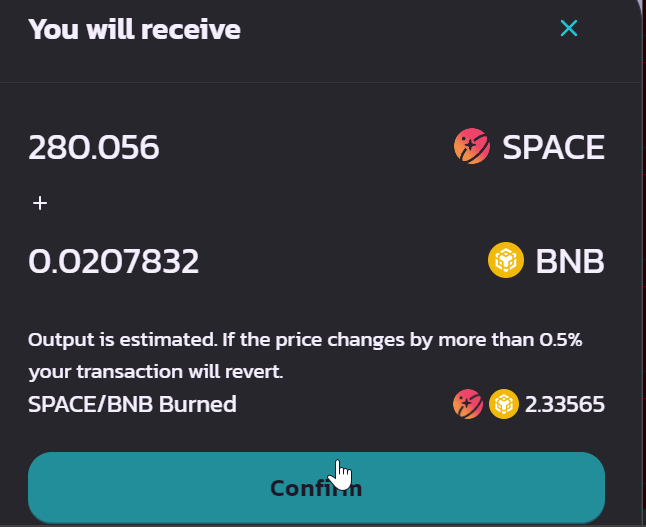
Clicking Confirm requires a last signature on your wallet.
3. Add your liquidity to V3
Your V2 liquidity is removed and your SPACE and BNB are back in your wallet, so you can now add liquidity to the PancakeSwap V3 pool.
TIP
Follow Add liquidity on BNB Smart Chain to finish the migration. That pool is managed by the SPACE Liquidity UI, so the flow is shorter than it used to be on PancakeSwap.